Dashboard: Authentication Types overview
The Authentication Types tab shows how many mobile devices, authenticator devices, and push notification blocks are associated with your users. Use it to track MFA device enrollment, monitor authenticator adoption, and identify users who are blocking push notifications from suspicious sources.
What the Authentication Types tab shows
The tab is organized into three sections:
Enrolled Mobile Devices - Smartphones and tablets enrolled for push notifications or time-based one-time passwords (TOTP).
Enrolled Authenticator Devices - Hardware security keys and FIDO devices enrolled for authentication.
Push Notifications Blocked by User - IP addresses that users have blocked from sending push notifications to their Authenticate app.
You can filter each section by date range: past 24 hours, 7 days, 30 days, or year from today.
What healthy activity looks like
Healthy authentication device data typically shows these patterns:
Device enrollment grows with your user base. As you onboard users and roll out MFA, the number of enrolled mobile and authenticator devices increases steadily. Enrollment counts that plateau while your user base grows may indicate adoption issues.
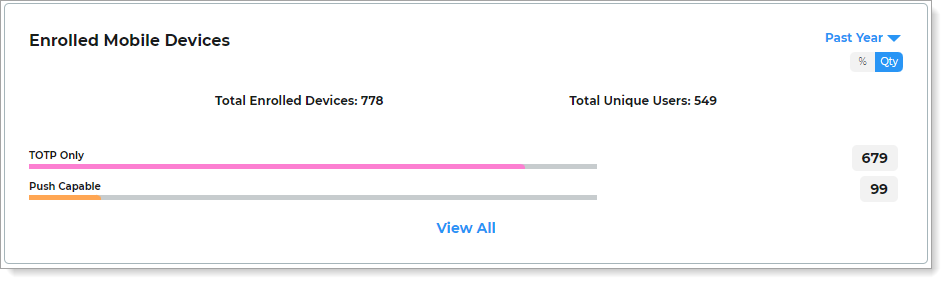
Push-enabled devices outnumber TOTP-only devices. If you've deployed the Authenticate app, most enrolled mobile devices should be push-enabled. A high ratio of TOTP-only devices may indicate users are enrolling third-party authenticator apps instead.
Low and stable push notification block counts. A small number of blocked IP addresses is normal. Users occasionally block unfamiliar push requests as a security precaution. Blocks auto-unblock after 24 hours.
Warning signs to watch for
Sudden drop in enrolled device counts. A decrease in enrolled devices without a corresponding reduction in your user base may indicate a platform issue, a migration problem, or users unenrolling devices.
Spike in push notification blocks. A sharp increase in blocked push notifications may indicate an MFA fatigue attack, where an attacker triggers repeated push requests hoping a user approves one by mistake. Cross-reference with the Auth risk insights tab.
Users with many enrolled devices. A single user with an unusually high number of enrolled mobile or authenticator devices may indicate device management issues or a compromised account being used to register attacker-controlled devices.
Authenticator device enrollment not growing despite FIDO rollout. If you've deployed FIDO2 security keys but enrolled authenticator device counts remain flat, users may not be completing enrollment or may be experiencing registration issues.
Enrolled mobile devices
View the number of mobile devices enrolled for authentication. The chart shows devices categorized by whether they are enabled for push notifications or TOTP only. You can toggle the view between total count and percentage.
 |
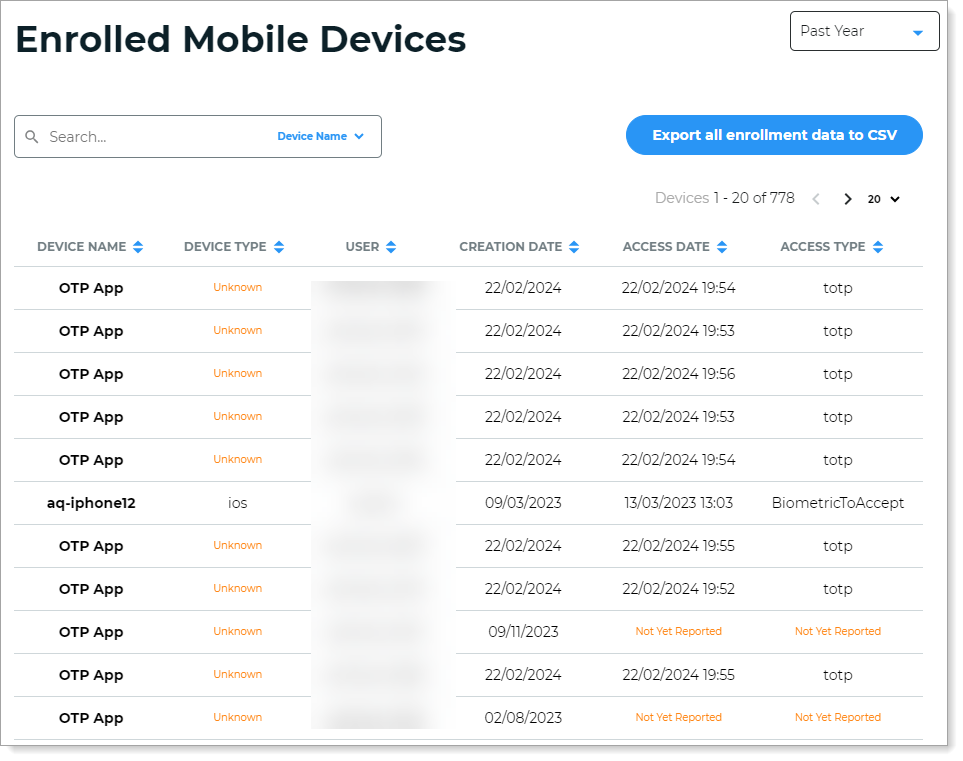
Click View all to see the full list. You can sort by Device Name, Device Type, User, Creation Date, Access Date, and Access Type.
Click Export all enrollment data to CSV to download the full enrollment list.
 |
Enrolled authenticator devices
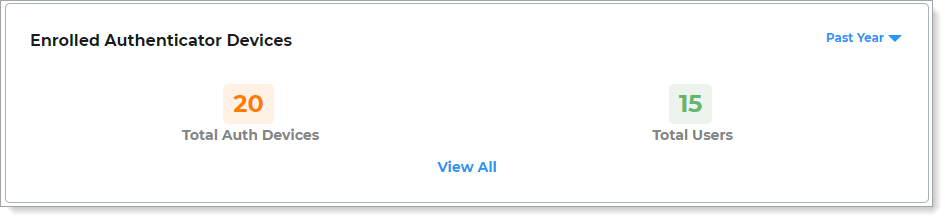
View the number of hardware authenticator devices (such as YubiKeys and FIDO devices) enrolled for authentication. The chart shows the total number of enrolled devices and the total number of users with enrolled devices.
 |
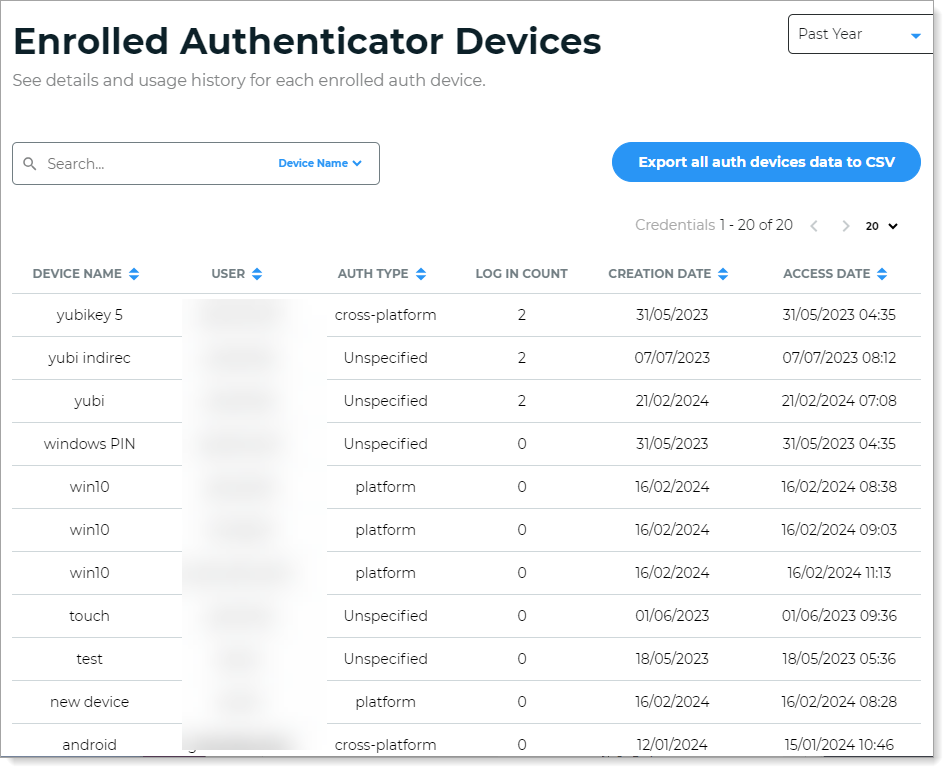
Click View all to see details and usage history for each device. You can sort by Device Name, User, Auth Type, Creation Date, and Access Date.
Click Export all auth devices data to CSV to download the full authenticator device list.
 |
Push notifications blocked by user
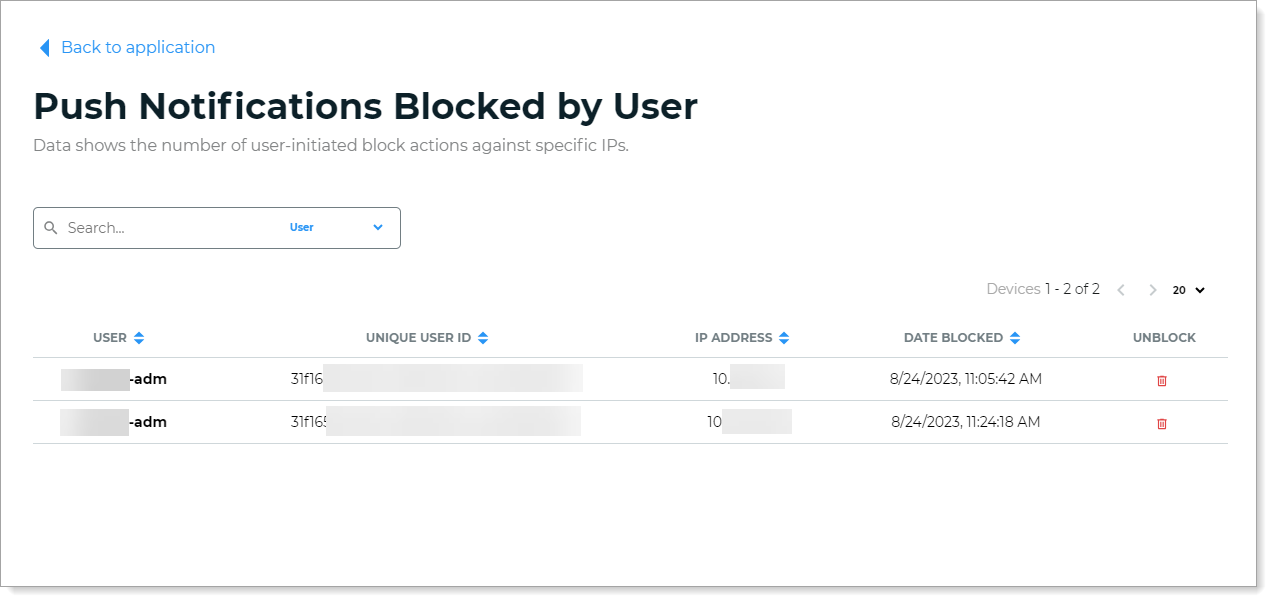
View data on user-initiated block actions from specific IP addresses. A block action occurs when a user chooses to block unknown login requests sent to their Authenticate app.
Block actions are automatically removed after 24 hours.
Note
To see this data, you must enable the block feature in Multi-Factor Method settings. For more information, see How to block and unblock login requests in Authenticate.
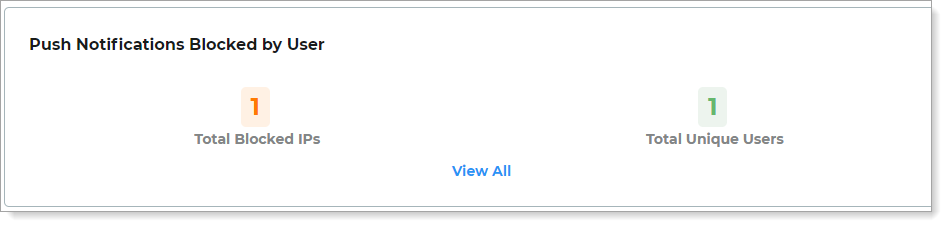 |
Click View all to see who initiated each block and the source IP address. To unblock and resume login requests from a specific IP address, click the trash can icon in the Unblock column.
 |
What to do next
Warning sign | Where to investigate next |
|---|---|
Spike in push notification blocks | Auth risk insights tab for MFA fatigue attack data. |
User with many enrolled devices | User Profile Data tab to review access history and digital fingerprints for the user. |
Low authenticator enrollment despite FIDO rollout | Login Data tab, Authentication method view to check FIDO2 usage trends. |
Drop in enrolled device counts | User Profile Data tab to check if users are still active, then review enrollment configuration. |